
how active windows key NEW 2026
1) Paste the key I sent you in shopee chat into the box below and click create command, then click copy command.
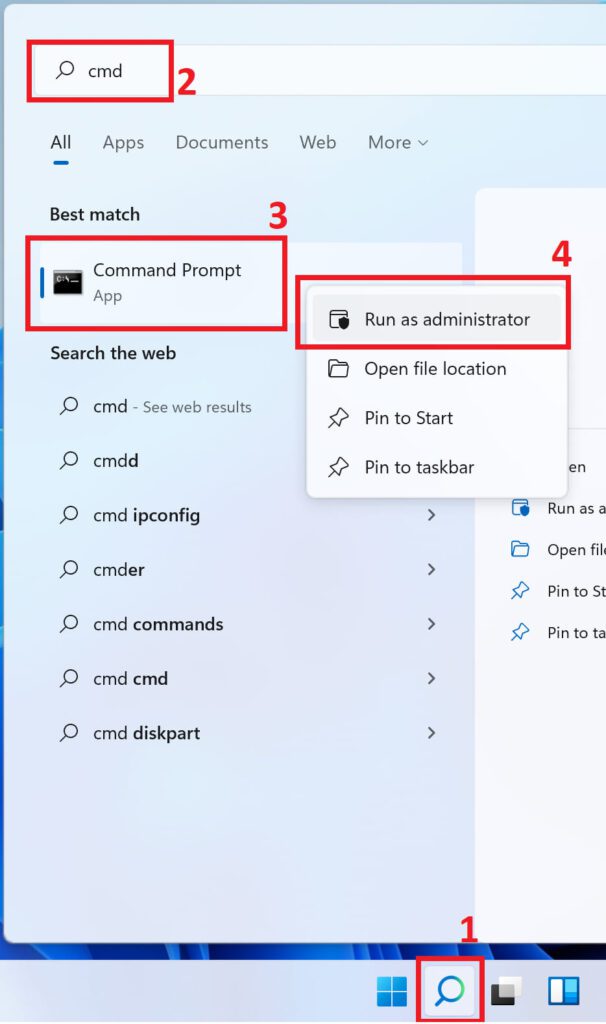
2) In the search, enter CMD => in the search results “Command Prompt” => right click on this result => Run as Administrator.
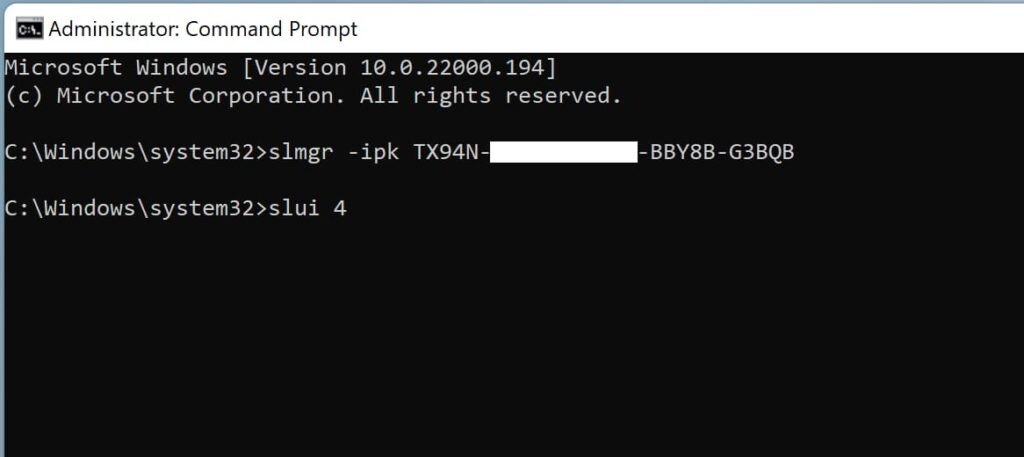
3) Paste the command you just copied into CMD and press enter

4) The next step is to enter the command: slui 4
5) In the new window, select your country of residence and click Next.

=> Select your country and click NEXT you can see like below

Please send me sharp pictures if you want things fast. If the image is too blurry, it is very time-consuming.
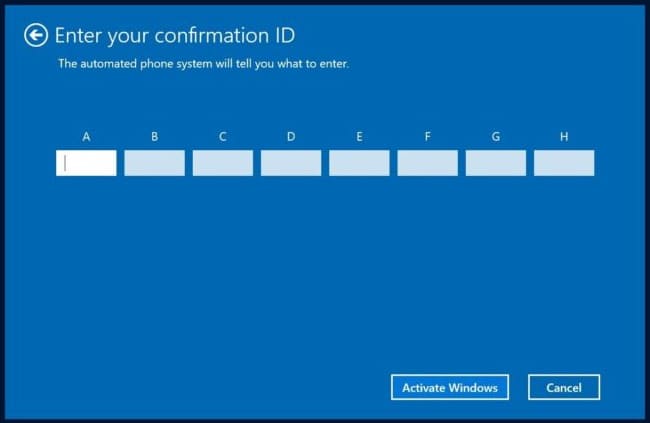
=> SEND ME PHOTO INSTALL ID After that I send back you confirm id. and enter it in blocks from A to H. After entering the numbers, click “Activate Windows”.
Please send me sharp pictures if you want things fast. If the image is too blurry, it is very time-consuming.